Kiwi Care finds caches, large files, duplicates and privacy traces across your disk. Scans are read-only, and nothing is removed until you review and confirm it.
A treemap or sunburst chart shows which folders fill your disk, with a file list right beside it.
02
Clean deep. Never blindly.
Scans are read-only by default. You see the estimated space and exactly what will change first.
03
Private by design.
No account, telemetry, analytics or crash reporting. Scan results stay on your Mac.
04
One app instead of many.
Cleanup, uninstall, startup items, maintenance and live resource monitoring in one place.
Deep Cleanup
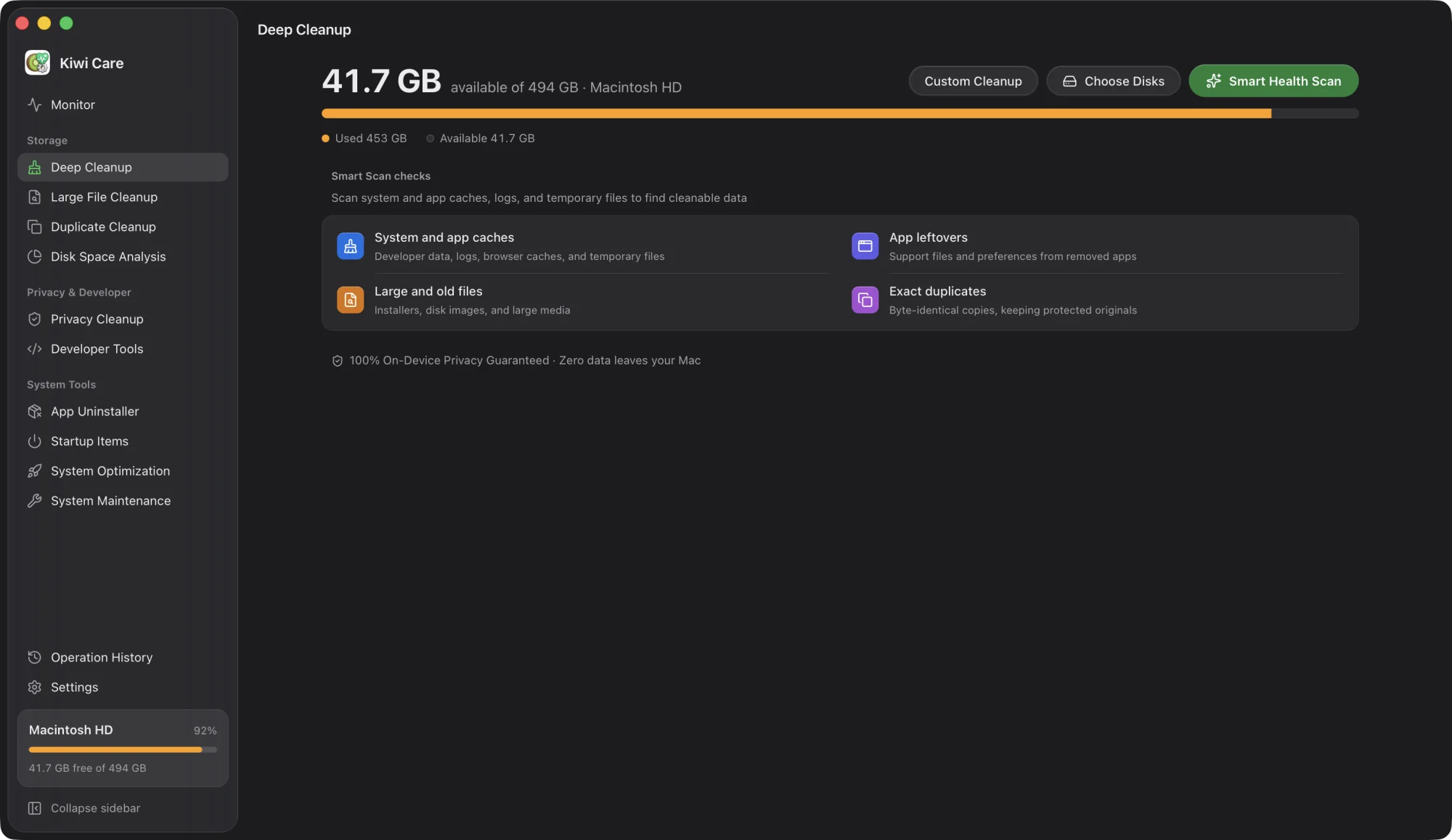
One scan. Every hidden corner.
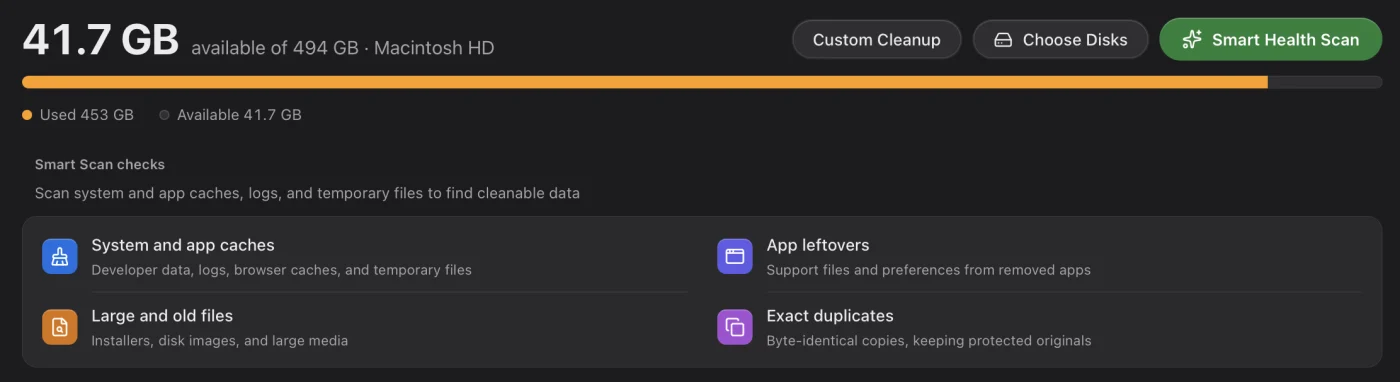
Kiwi Care checks system caches, app data, browsers, Xcode and developer tools, containers, project builds and local AI models — then groups everything by reclaimable space.
System & user caches
Application caches
Browser data
Xcode & developer tools
Container caches
Project build artifacts
AI models & caches
Application optimization
Large & duplicate files
The bulky stuff. Found fast.
Surface old installers, videos and archives without digging through folders. Duplicates are matched by content, not by name.
Byte-identical duplicates only
Smart selection keeps at least one copy in every group
Estimated reclaimable space shown before you clean
Privacy Cleanup
Clear your traces. Keep what matters.
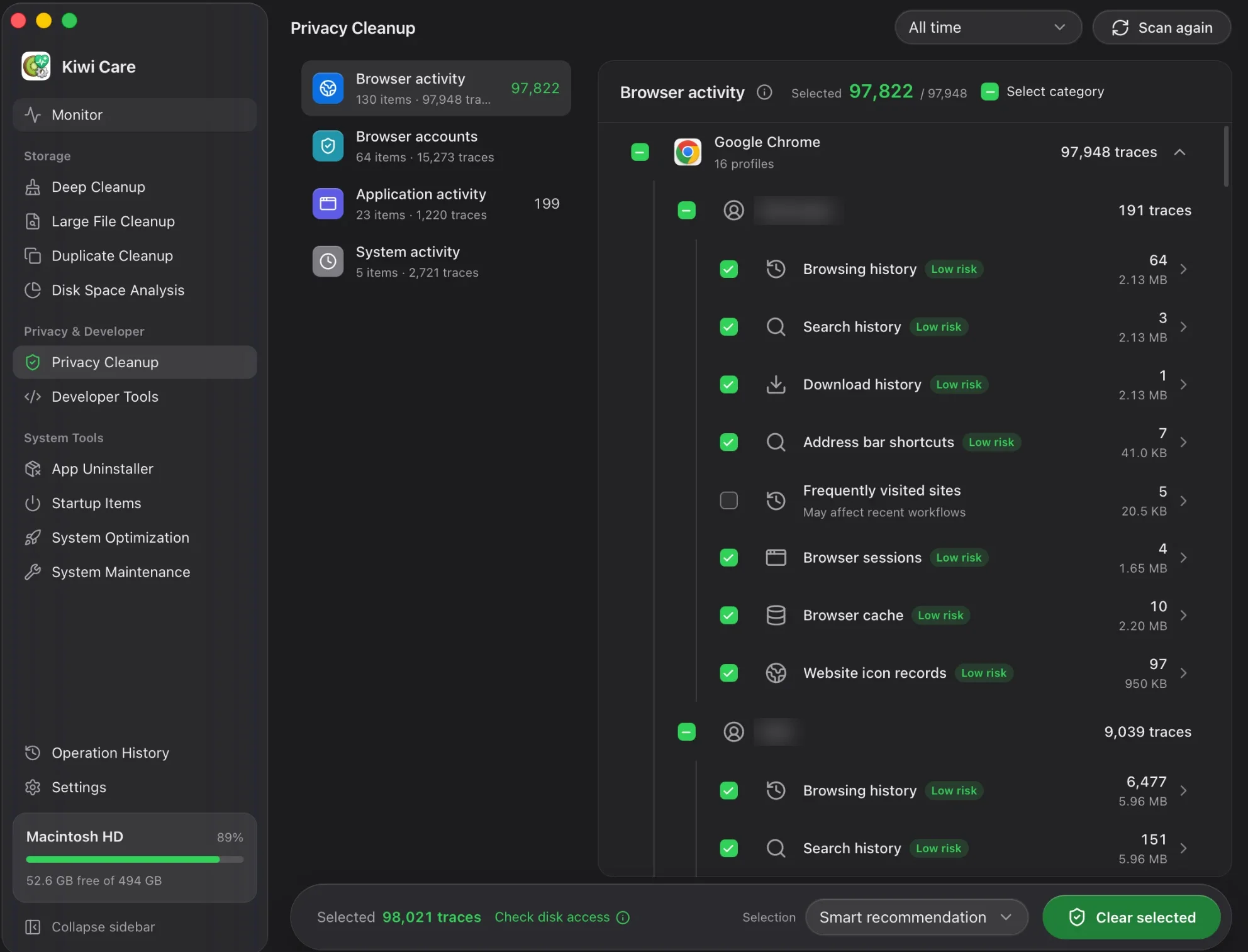
Browsing history, searches, downloads, sessions and cache — for every browser profile, plus app and system activity. Every item tells you its risk before you clear it.
Grouped into browser activity, browser accounts, app and system activity
Each item labeled with its risk level
Smart recommendation leaves out items that may affect recent workflows
Monitor
Your Mac’s vital signs. Right in the menu bar.
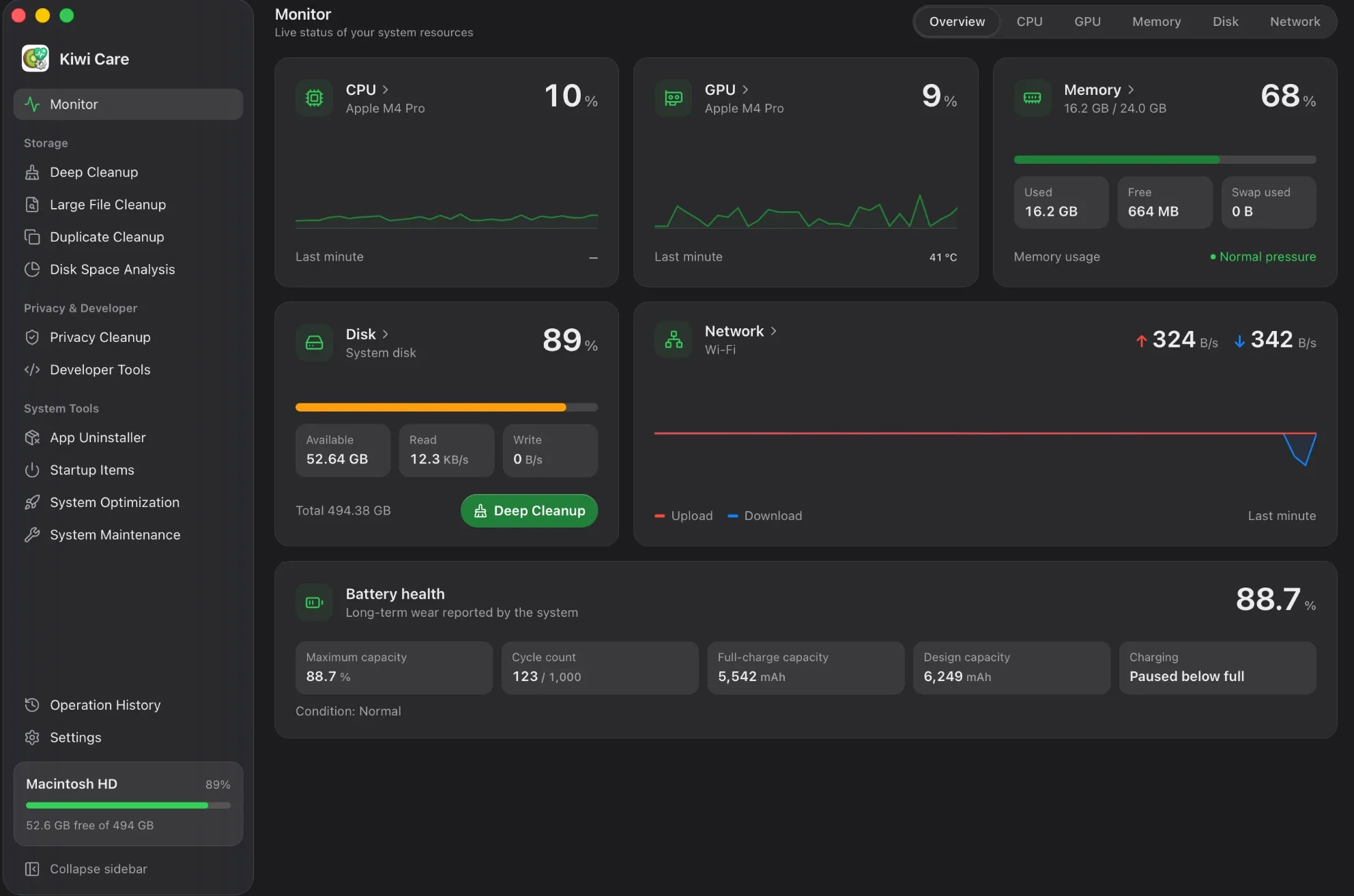
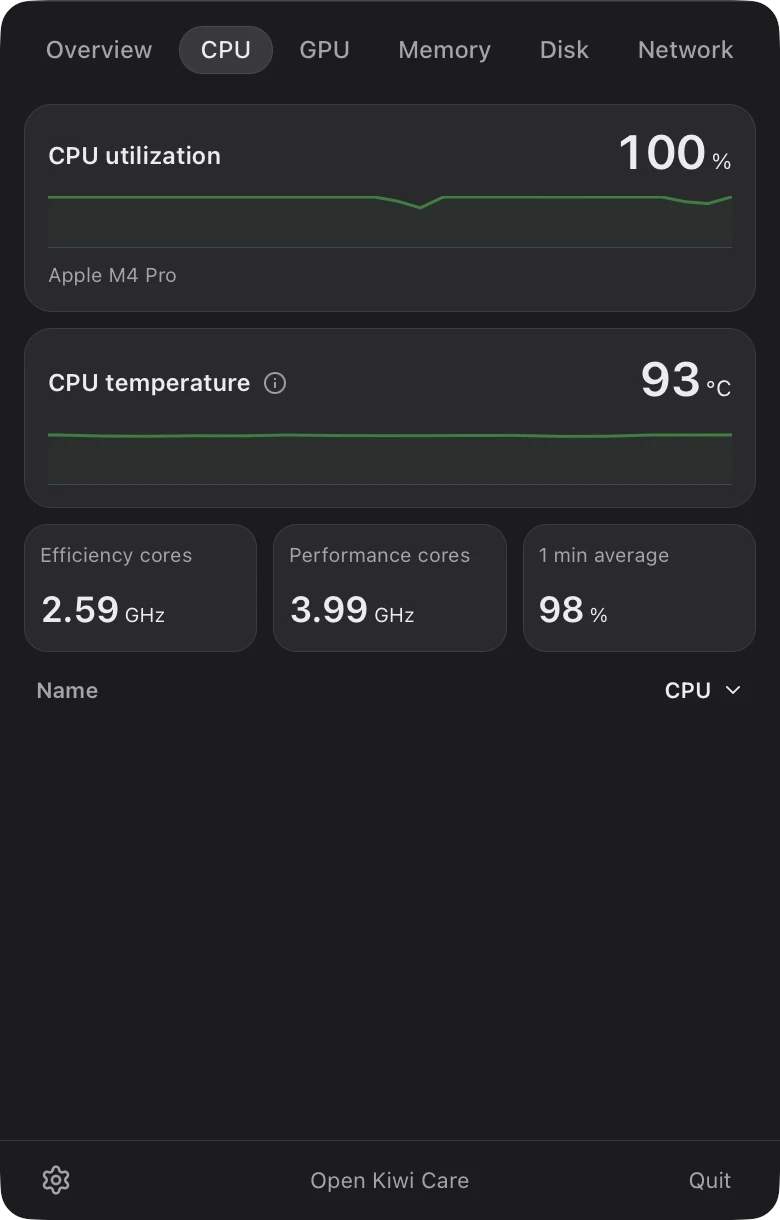
Live CPU, GPU, memory, disk and network activity, plus battery health and cycle count in the Monitor. The same readings sit in a compact menu bar panel, so checking in never needs the main window.
Overview
CPU
GPU
Memory
Disk
Network
Real screenshot of the menu bar panel.
Disk Space Analysis
Your disk, at a glance.
Switch between a treemap and a sunburst chart, choose how many levels to show and browse folders alongside the file list to find what takes up the most space.
Illustration
More tools
Everything else your Mac needs.
Developer Tools
Find rebuildable folders across your home folder, every local disk or folders you choose. Filter by ecosystem or by projects untouched for 30, 90 or 180 days. Source code, lockfiles and Git data stay untouched.
node_modules
target
.venv
build output
Ports in Use lists local listeners with their process and working folder — and stops a verified process when a port is stuck.
App Uninstaller
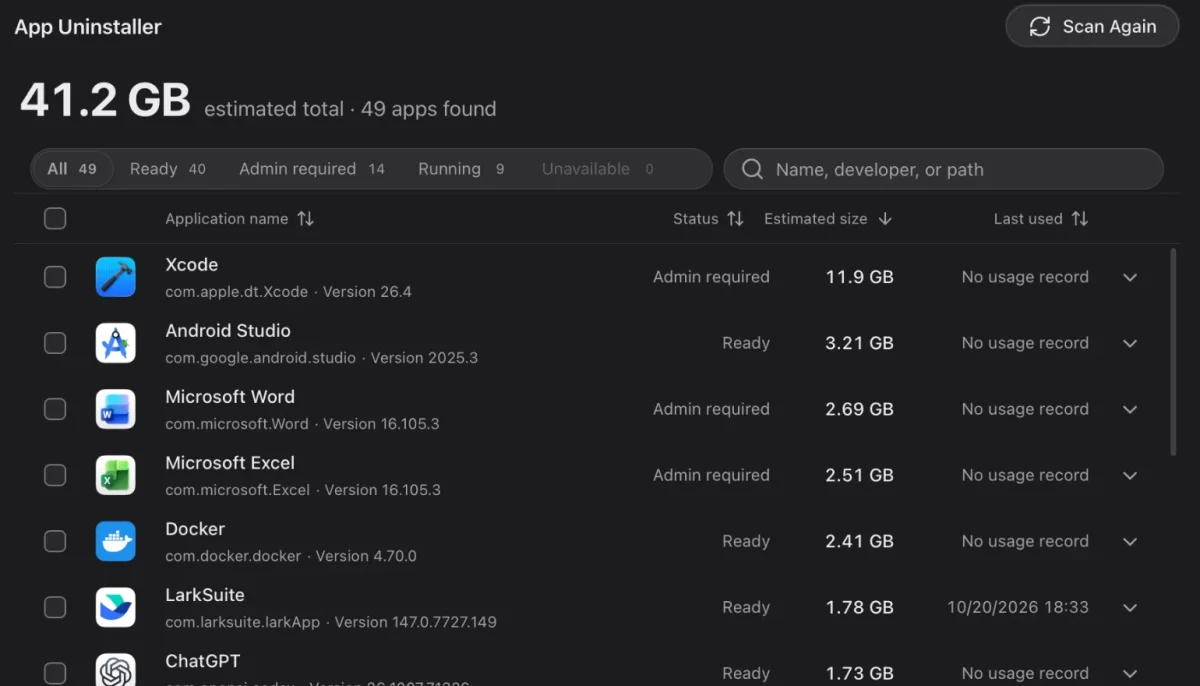
Remove apps with their caches, settings and leftovers. Size, last use and whether an app needs admin rights or must be closed first are shown up front.
Startup Items
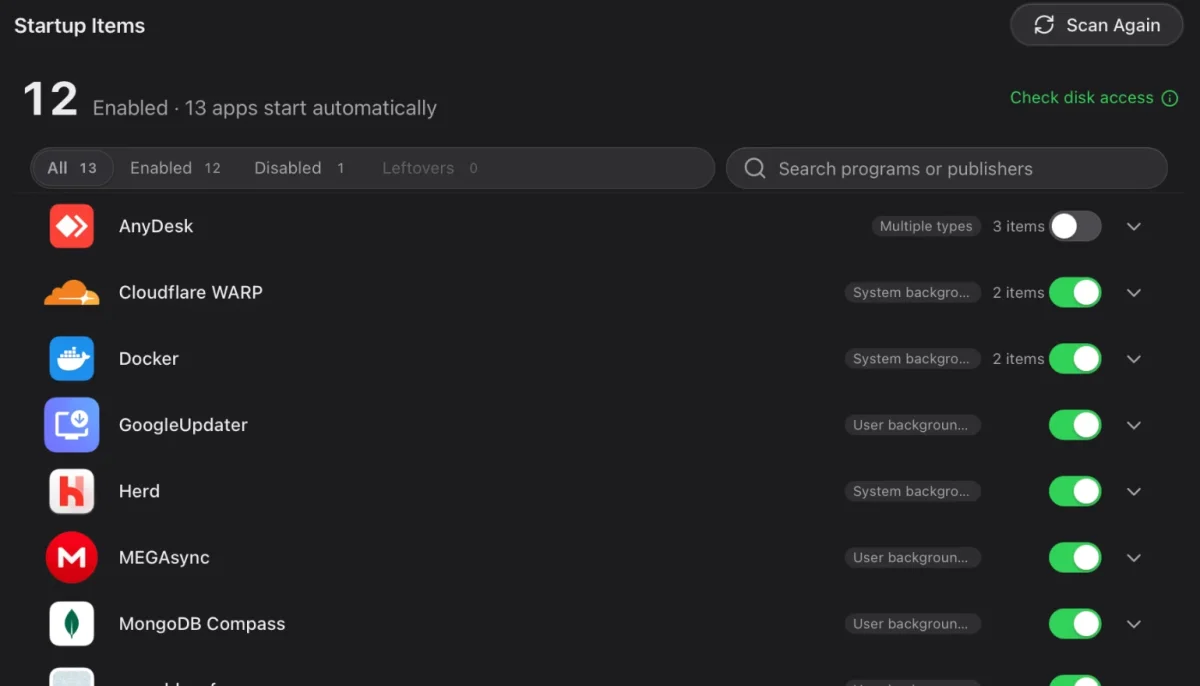
See everything that launches with your Mac. Turn off what slows startup, and turn it back on any time.
System Maintenance
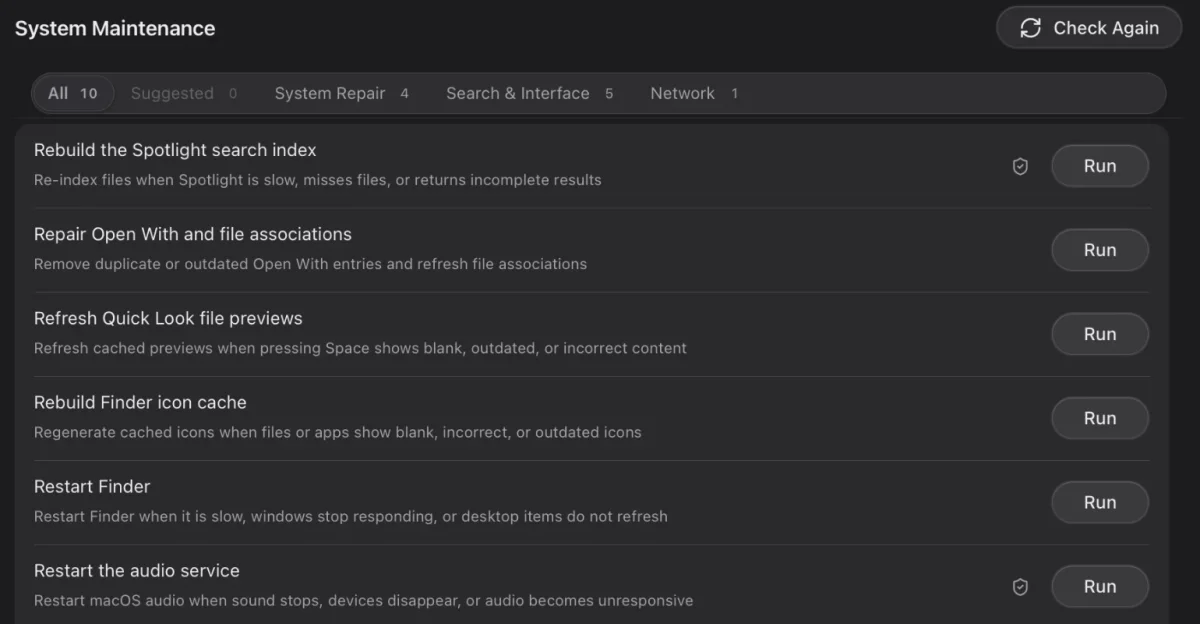
Rebuild Spotlight, refresh Quick Look and icon caches, restart Finder or audio, refresh DNS. One click each, no commands to type.
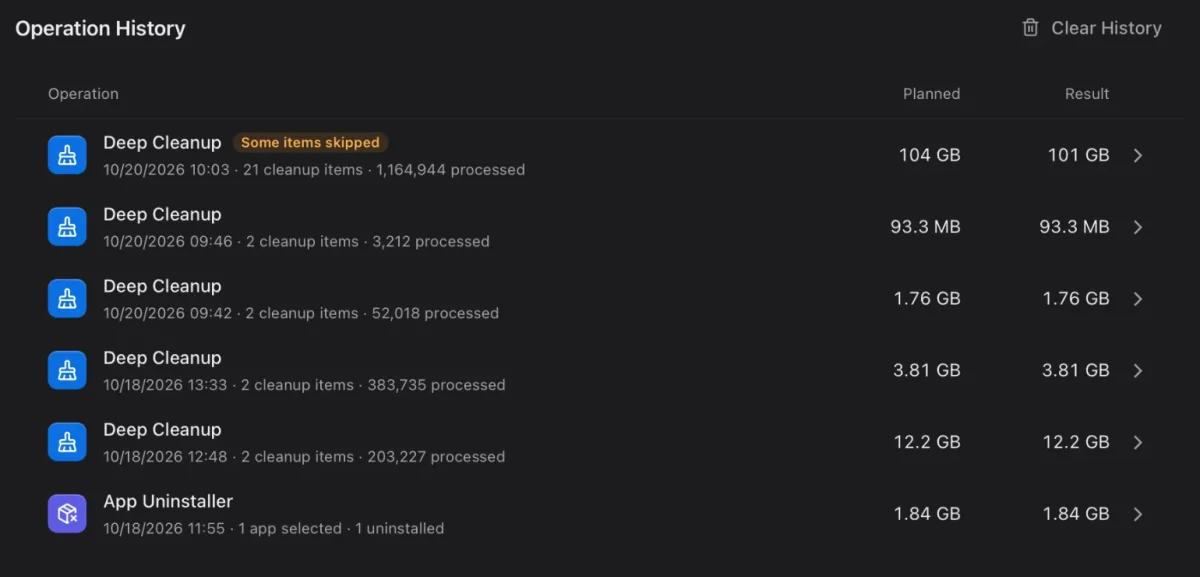
Operation History
Every cleanup and uninstall, with planned versus recovered space and anything that was skipped.
System Optimization
Built-in, validated settings only. Each change is read back and high-impact items are called out.
Ask an AI, privately
Unsure about an item? Copy a ready-made prompt for the assistant you choose. Your home folder becomes ~ before copying.
Screenshots
Take a closer look.
Deep Cleanup. Kiwi Care checks system caches, app data, browsers, Xcode and developer tools, containers, project builds and local AI models — then groups everything by reclaimable space.
Static screenshots of the real app — not an interactive demo.
Built with care
Careful by default.
Kiwi Care puts data safety ahead of reclaiming more space. Every action is visible, reviewable and recorded.
Read-only scans
Nothing changes until you review the selection and confirm.
Validated rules
Cleanup rules ship only after their safety boundaries are defined and tested on real systems.
No arbitrary commands
System Optimization never runs terminal commands, scripts or arbitrary paths.
A record of every change
Cleanups, uninstalls and setting changes are saved to Operation History.
Rust core, native window
A Rust engine scans and cleans. A Tauri 2 shell brings a seamless macOS title bar and a menu bar panel.
A command line, too
The kiwicare CLI uses the same safety-first cleanup engine as the app.
Permanent deletion and uninstalling may not be reversible. Review your selection and keep backups of important data.
Download
Kiwi Care.Ready for your Mac.
Checking the latest release…
InstallationUp and running in a minute.
1
Download
Get the .dmg for your Mac’s chip.
2
Open
Double-click the downloaded .dmg file.
3
Drag
Drag Kiwi Care into the Applications folder.
4
Launch
Open Kiwi Care from Applications. Turn on Full Disk Access when the app guides you.
FAQ
Questions, answered.
What is Kiwi Care?
Kiwi Care is a desktop app for disk cleanup, storage analysis and privacy protection. It brings Deep Cleanup, large and duplicate file cleanup, disk space analysis, privacy cleanup, developer tools, app uninstall, startup items, system optimization, system maintenance and a resource monitor into one app.
Could Kiwi Care delete something I need?
Scans are read-only by default. Before any cleanup, deletion, uninstall or setting change, you can review exactly what will happen and confirm it. Permanent deletion may not be reversible, so review your selection and keep backups of important data.
Does Kiwi Care send my data anywhere?
Kiwi Care has no account, telemetry, analytics, crash reporting or built-in AI service. Builds distributed through GitHub Releases can check GitHub for updates; you can turn automatic checks off in Settings. Links you click open in your browser.
Should I download the Apple Silicon or Intel version?
Choose Apple Silicon for Macs with an M-series chip and Intel for Intel-based Macs. To check, open the Apple menu → About This Mac and look at Chip or Processor.
Why does Kiwi Care ask for Full Disk Access?
macOS protects some folders. With Full Disk Access turned on in System Settings, Kiwi Care can scan those locations; without it, some results may be missing. You can skip it and enable it later.
Is Kiwi Care available for Windows or Linux?
Kiwi Care is built for macOS, Windows and Linux. This page covers the Mac version; installers for other platforms are published when they are available.
Can I use Kiwi Care from the command line?
Yes. The kiwicare CLI uses the same cleanup engine. It scans without changing anything by default and requires explicit confirmation to clean in non-interactive environments. Prebuilt CLI binaries are not published yet.
Is Kiwi Care made by Apple?
No. Kiwi Care is an independent app published by AppKiro and is not affiliated with or endorsed by Apple Inc.