
Help · JSON Tools
Generate JSON Schema or Zod Schemas From Real JSON
When an API gives you real JSON, the next step is often a contract: something that validates the payload, documents the shape, and keeps application code honest.
Appkiro's JSON to Schema and JSON to Zod tools turn sample JSON into either standards-based JSON Schema or TypeScript-friendly Zod code, depending on where the schema needs to live.
Quick answer
Use JSON to Schema when you need a portable JSON Schema document for validators, API tooling, or form systems. Use JSON to Zod when your TypeScript or JavaScript project needs runtime parsing with Zod and inferred types.
The two schema workspaces
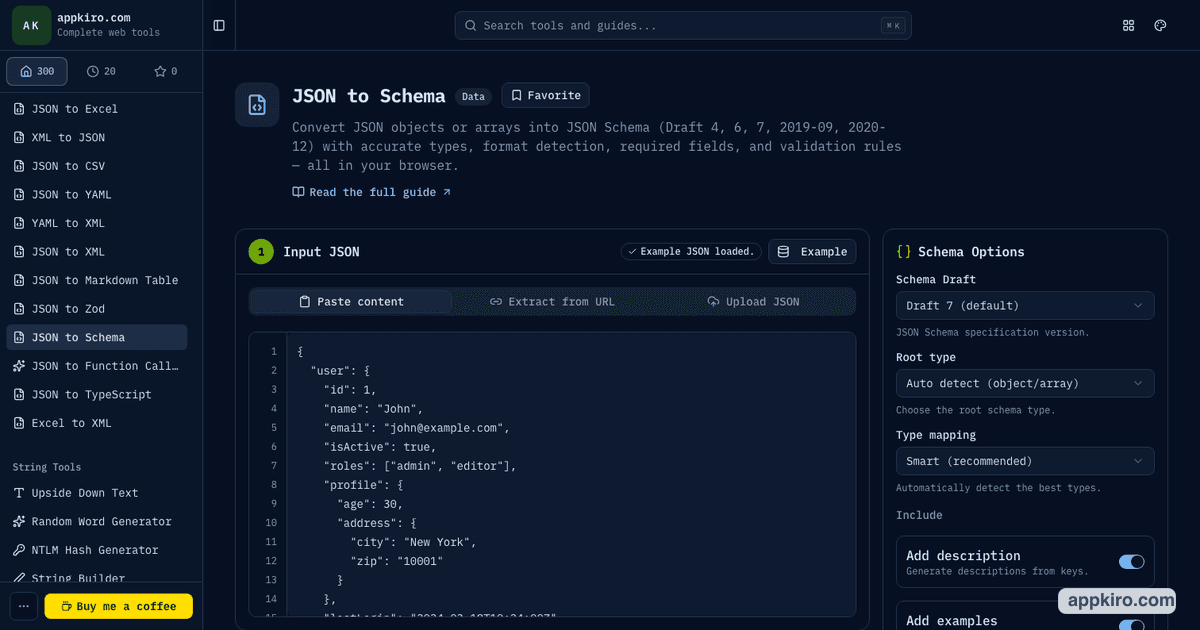
JSON to Schema
Producing standards-based JSON Schema for validators, API contracts, OpenAPI 3.1, forms, gateways, and documentation tools.
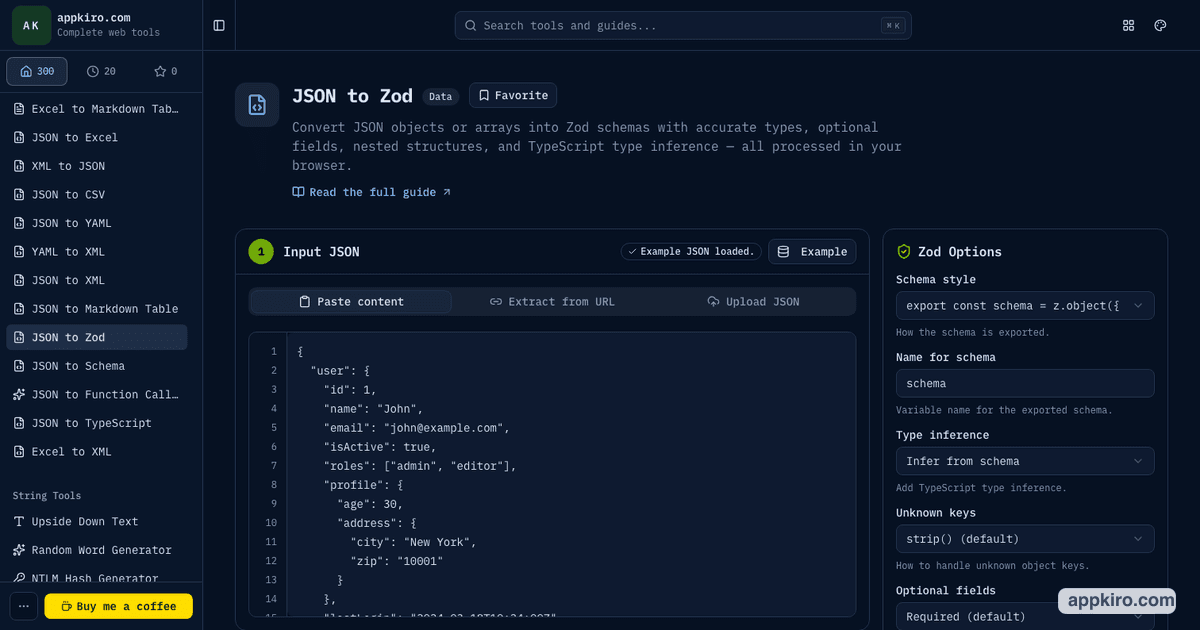
JSON to Zod
Creating TypeScript-friendly runtime validation with Zod schemas and inferred types for frontend, backend, and shared packages.
When these tools are useful
- Turn an API response into a JSON Schema contract for AJV, OpenAPI 3.1, react-jsonschema-form, or documentation
- Generate a Zod schema for runtime validation in a TypeScript app, API route, worker, or shared package
- Create a starting schema from exported database records, webhook payloads, fixture files, or third-party API samples
- Compare a standards-based JSON Schema workflow with a TypeScript-first Zod workflow before choosing one
- Avoid hand-writing large nested schemas when a representative JSON sample already describes the structure
How to generate the right schema
Start from a real JSON sample
Paste JSON, fetch a public JSON URL, or upload a .json file. Use a response that includes realistic nested objects, arrays, null values, and optional-looking fields so the generated schema has enough information.
Choose the output target
Use JSON to Schema when another system expects JSON Schema. Use JSON to Zod when the schema will live in a TypeScript or JavaScript codebase and run validation through Zod.
Tune strictness before copying
For JSON Schema, pick the draft and type mapping your validator expects. For Zod, decide how unknown keys and optional fields should behave in your app.
Inspect the generated shape
Use the raw output, tree view, or TypeScript type preview to check nested properties, arrays, required fields, nullable values, and inferred formats before using the code.
Copy or download the result
Copy the schema into your project or download the generated file. Run it against more than one sample if the API can return different response shapes.
Options worth reviewing
- Schema draft
- JSON to Schema supports Draft 4, 6, 7, 2019-09, and 2020-12. Draft 7 is common for AJV setups; 2020-12 fits newer tooling and OpenAPI 3.1 workflows.
- Root type
- Auto follows the pasted JSON root. Use a looser root only when the schema should accept more than the current sample shape.
- Required fields
- Required inference is useful when the sample represents the contract. Turn it down when fields may be omitted by the source API.
- Unknown keys
- JSON to Zod can strip, pass through, reject, or catch unknown keys. Use strict behavior in tests and passthrough behavior for APIs you do not control.
- Optional and nullable fields
- A single sample cannot prove every optional field. Include examples with nulls or missing values when possible, then review .optional() and .nullable() decisions.
- TypeScript inference
- JSON to Zod can emit inferred types from the schema or a separate TypeScript type preview, which helps you verify the runtime schema and editor type shape together.
Practical examples
Public API response
Fetch or paste a real endpoint response. Use JSON to Schema for a contract shared across services, or JSON to Zod when the consuming app needs runtime parsing plus TypeScript types.
Webhook payload
Paste a webhook event sample, generate a schema, then make fields strict only after you confirm which values the provider may omit in other event types.
Form data model
Use JSON to Schema when a form renderer expects JSON Schema. Use Zod if your form library validates with Zod and infers field types from the same schema.
Test fixture cleanup
Generate a strict schema from a known fixture, then validate future fixture changes so unexpected fields or missing values fail early.
Copying generated schemas safely
Treat generated output as a strong first draft. Review required fields, nullability, enums, string formats, and unknown-key behavior before committing it. For production APIs, validate a few more payloads so the schema matches more than one happy-path response.
Browser-based processing note
Pasted JSON and local JSON files are processed in the browser. When you use the URL input, Appkiro has to request that remote JSON source so the tool can read and convert it.
Schema design tips
- Use more than one JSON sample when an API returns different shapes for success, empty states, errors, or feature flags.
- Do not assume every field in one sample is always required. Check API docs or collect more responses before locking required fields.
- Keep JSON Schema for external contracts and interoperability; keep Zod close to application code that parses data at runtime.
- For third-party APIs, prefer permissive unknown-key behavior unless unexpected fields should break the workflow.
- After generating a schema, run it against real payloads before committing it as a source of truth.
Related JSON tools
If the source JSON is messy, clean it first with JSON Formatter. If you only need TypeScript types and no runtime validator, use JSON to TypeScript instead of Zod.
JSON Formatter
Clean and inspect raw JSON before generating a schema.
JSON Validator
Check that pasted JSON is valid before converting it.
JSON to TypeScript
Generate TypeScript interfaces when runtime validation is not needed.
JSON to Function Calling Schema
Convert JSON into AI tool/function calling schemas for structured outputs.
Frequently asked questions
- What is the difference between JSON Schema and Zod?
- JSON Schema is a language-independent standard used by validators, API tooling, form generators, and documentation systems. Zod is a TypeScript-first validation library that creates runtime parsers and inferred TypeScript types.
- Which tool should I use for OpenAPI?
- Use JSON to Schema when the output will feed OpenAPI, especially OpenAPI 3.1 workflows that understand modern JSON Schema drafts.
- Which tool should I use in a TypeScript app?
- Use JSON to Zod when your app validates incoming data with Zod and benefits from z.infer or generated TypeScript type previews.
- Can the tools detect email, URL, UUID, or datetime values?
- Yes. Both tools include format-aware inference paths, but you should still review generated formats because a single sample may not represent every valid value.
- Are local JSON files uploaded to Appkiro?
- Local files selected from your device are processed in the browser. If you fetch a URL, the browser or app endpoint has to request that remote JSON source.
- Can one JSON sample produce a perfect schema?
- It can produce a strong starting point, but one sample cannot prove optional fields, all enum values, or every possible union shape. Review the output against the real contract.
Ready to generate a schema?
Start with JSON to Schema for portable contracts, or open JSON to Zod when the output belongs in a TypeScript validator.