
Security · Practical guide
Decoding JWTs Without Pasting Them Into a Random Website
Published · 7 min read
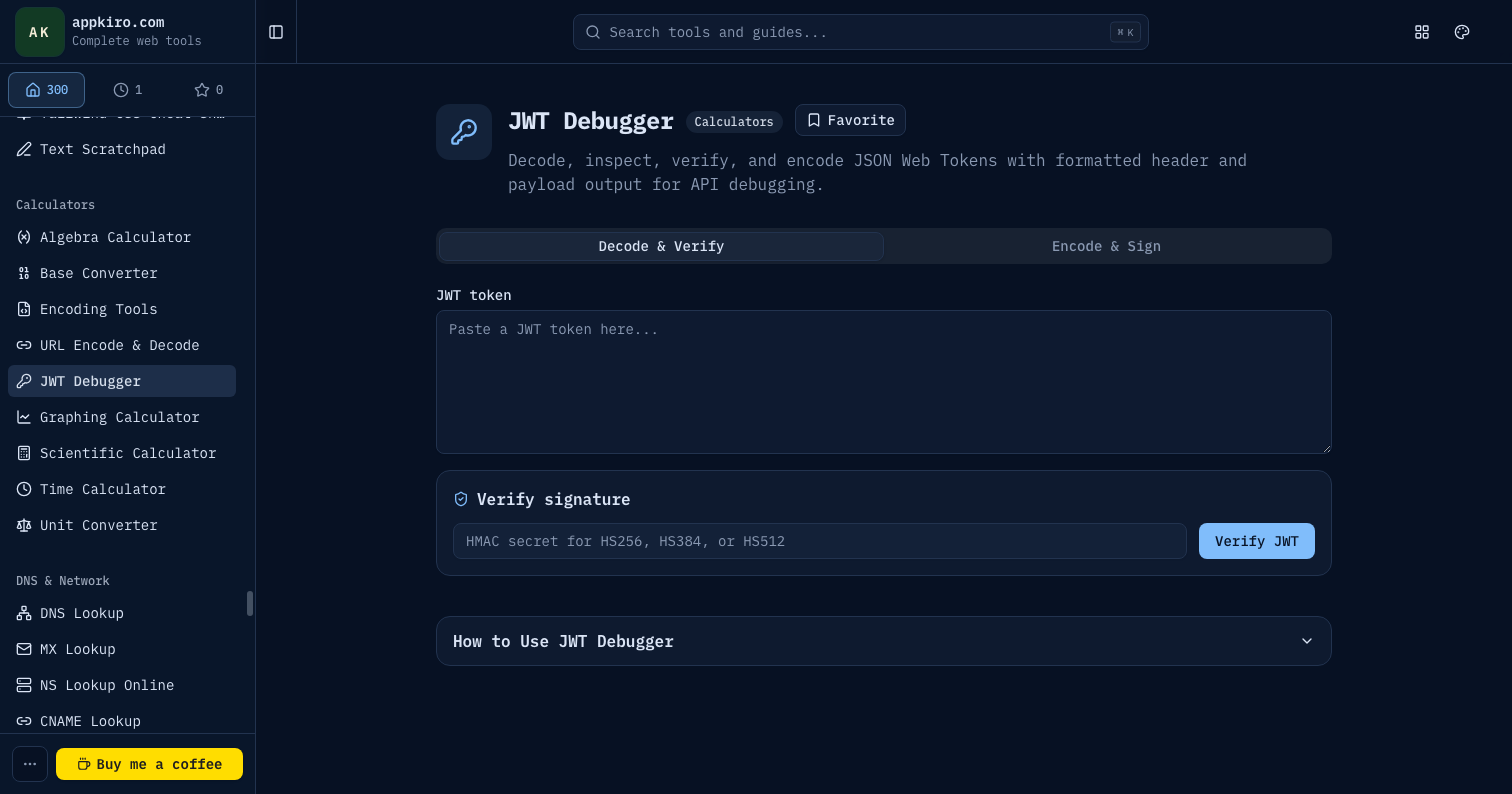
A JSON Web Token is a string. Three base64-encoded chunks joined with dots. Every JWT you have ever pasted into a debugger contained either a user identity, an API capability, or both — and every third-party site that decoded it for you saw all of that. Appkiro's JWT Debugger decodes, encodes, and verifies tokens in the browser, with nothing sent to a server. The same job, without the risk.
Why local decoding matters
JWTs are not encrypted. The body is base64url-encoded, which means anyone who has the token can read its contents in plaintext. That is fine when the contents are designed to be public — the user's display name, an issuer URL, a token type — but most production tokens carry more than that: internal user IDs, role lists, tenant identifiers, permission scopes, sometimes email addresses.
When you paste a production token into a remote debugger, the server on the other end can store it, log it, index it, replay it until it expires. The popular online decoders make best-effort promises about not doing that, but the only debugger that can genuinely prove it is one that runs on your own machine. The JWT Debugger does — every operation happens inside the browser tab.
The anatomy of a token
A JWT has three segments separated by dots: HEADER.PAYLOAD.SIGNATURE. Each segment is base64url encoded (the URL-safe variant of base64 that swaps + for - and / for _ and strips padding).
Header
The header is a small JSON object that describes how the token was signed. The two fields you almost always see are alg (the algorithm) and typ (almost always "JWT"). A typical header looks like{"alg":"HS256","typ":"JWT"}. Some headers also include kid (key ID) to indicate which signing key was used when an issuer rotates keys.
Payload
The payload is another JSON object. It carries the claims — the actual data the token asserts. Some claim names are standardised by RFC 7519:
iss— issuer, the entity that minted the token.sub— subject, the entity the token is about (usually a user ID).aud— audience, the intended recipient. The receiver should reject tokens whose audience does not include them.exp— expiration, a Unix timestamp after which the token must be considered invalid.nbf— not before, a Unix timestamp before which the token is not yet valid.iat— issued at, a Unix timestamp recording when the token was minted.jti— JWT ID, a unique identifier for the token, used for revocation lists or replay protection.
Everything else is custom. Most providers add namespaced claims — roles, scopes, permissions, tenant IDs — under custom keys like https://example.com/roles or simply scope.
Signature
The signature is computed over the base64url-encoded header and payload, joined by a dot, using the algorithm named in the header. For HMAC algorithms (HS256, HS384, HS512) the signature is the HMAC of header.payload with a shared secret. For RSA and elliptic curve algorithms (RS256, ES256, etc.) the signature is created with a private key and verified with the public key.
The algorithms, in plain language
HS256, HS384, HS512
Symmetric HMAC algorithms. The same secret signs and verifies tokens. Use them inside a single application or trust boundary — anywhere the signer and the verifier are the same party or share a secret already. The numbers (256, 384, 512) refer to the size of the underlying SHA hash.
RS256, RS384, RS512
RSA with SHA. The issuer signs with a private key; anyone can verify with the corresponding public key. The right choice when you have multiple verifiers (microservices, mobile apps, partner integrations) and do not want to ship a shared secret to all of them.
ES256, ES384, ES512
ECDSA with SHA. Asymmetric like RSA, but with shorter keys and faster signature generation. Common in modern OIDC providers. Verification cost is comparable to RSA; signing is much cheaper.
none
A historical mistake. alg: "none" declares that the token is unsigned. Several libraries used to accept such tokens as valid if the verification call was written carelessly, which let attackers forge tokens at will. Every modern JWT library rejects none unless explicitly opted in. Do not use it. Treat any production token with alg: none as compromised on sight.
Decoding vs verifying
The two operations are distinct, and conflating them is the source of a surprising number of security incidents.
Decoding takes the encoded segments and turns them back into JSON. Anyone can decode any JWT. The JWT Debugger does this the moment you paste a token into the input.
Verifying recomputes the signature using the algorithm declared in the header and the appropriate key (a shared secret for HMAC; a public key for RSA or ECDSA) and compares it to the signature segment of the token. If the recomputed signature matches and the expiration claim has not passed, the token is valid. If it does not match, the token has been tampered with — or it was signed by someone else, with a different key.
The Debugger supports HS256, HS384, and HS512 verification locally: paste the secret, and the tool tells you whether the signature checks out. Asymmetric algorithms (RS256, ES256, and friends) typically need access to the issuer's JWKS endpoint, so live verification happens in your application code rather than the debugger.
The most common JWT bugs
Expired tokens silently failing
exp is a Unix timestamp in seconds, not milliseconds. A token with exp: 1735689600 expires on 2025-01-01, not in the year 56000. Production code that treats it as milliseconds rejects every token immediately. The Debugger renders the timestamp as a human-readable date so you catch this on inspection.
Clock skew
The server that signs a token and the server that verifies it do not always agree on the current time. A token issued withiat a second in the future of the verifier's clock looks invalid. Real systems allow a small leeway (60 to 300 seconds) when checking exp and nbf.
Mismatched audience
A token with aud: "my-api" should be rejected by anything other than my-api. Forgetting to check the audience is how a token meant for one service ends up authorising another. Look at the aud claim every time you debug an unexpected authorisation failure across services.
Algorithm confusion attacks
If your code accepts whatever algorithm the header says, an attacker can craft a token with alg: HS256 using your public RSA key as the shared HMAC secret. Always pin the algorithm at the verification site, not the token. Reject any token whose alg does not match your expected value.
Putting secrets in the payload
JWTs are signed, not encrypted. Anything in the payload is readable by anyone with the token. Putting a password, a credit card, or a private email address in there does not protect any of it. If you need confidentiality, use JWE (JSON Web Encryption) or just keep the secret on the server.
A typical debugging session
You hit a 401 from an API. The response says "invalid token". The path of least resistance is to paste the token into the Debugger and walk through the data:
- Look at
alg. Is it what the API expects? An HS256 token sent to an RS256 verifier will be rejected. - Look at
exp. The Debugger renders it as a date — is it in the past? - Look at
issandaud. Do they match what your API is configured to accept? - Look at any custom claims your authorisation layer reads. Missing roles or scopes turn into mysterious 403s.
- If everything looks right, try verifying the signature with the shared secret you expect to be in use. A failed verify means the secret has rotated or the token came from a different issuer.
Encoding a token from scratch
The Debugger also encodes. Type a header and payload as JSON, pick HS256 and a secret, and it produces a signed token. This is the right way to build fixture tokens for tests: deterministic payloads, a known secret, a token you can inspect by hand. Avoid using these tokens against production systems — the secret has to match the verifier's expectation, and you should not be typing real production secrets into any tool, ever.
Privacy and the threat model
Decoding, encoding, and HMAC verification all run in the browser. The token never leaves your device. The encode operation uses crypto-js for HMAC; no network request is made.
That said, a JWT in the browser is still a JWT in the browser. If you paste a token into the address bar or anywhere it might be captured by extensions or screen-sharing software, the same exposure applies. The Debugger removes the cloud-debugger exfiltration channel; it does not make tokens magically safe.
Where it fits with other tools
Token debugging usually shows up alongside other ad-hoc inspection work. Pair the JWT Debugger with Base64 to Text when a payload contains nested encoded blobs, UUID Parser when claim values are UUIDs and you want timestamps out of them, and cURL Parser when you want to inspect the request that produced the token in the first place.