
Help · Media Test Files
Find Sample Video and Audio Files for Testing
A reliable test file saves time when you are checking uploads, players, transcoders, or documentation examples. Instead of hunting for random media, start with files that are already labeled by format, size, duration, and playback type.
Appkiro's Share Sample Video Files and Sample Audio Files tools give you ready-to-use media for demos, QA, prototypes, and support reproduction steps.
Quick answer
Use sample media files when you need predictable test inputs for upload forms, HTML5 players, media APIs, QA scripts, demos, or documentation. Copy a direct URL for code and docs, or download a file when you need to test a local upload flow.
Browse, filter, preview, and copy
When sample files are useful
- Test HTML5 video and audio players with real media files before connecting production storage
- Validate upload forms, MIME detection, progress bars, and file size limits
- Check transcoding, compression, metadata, waveform, thumbnail, and preview pipelines
- Build documentation, demos, examples, and QA fixtures without exposing private media
- Compare behavior across formats such as MP4, WebM, OGV, MP3, WAV, OGG, M4A, AAC, and FLAC
Which catalog should you open?
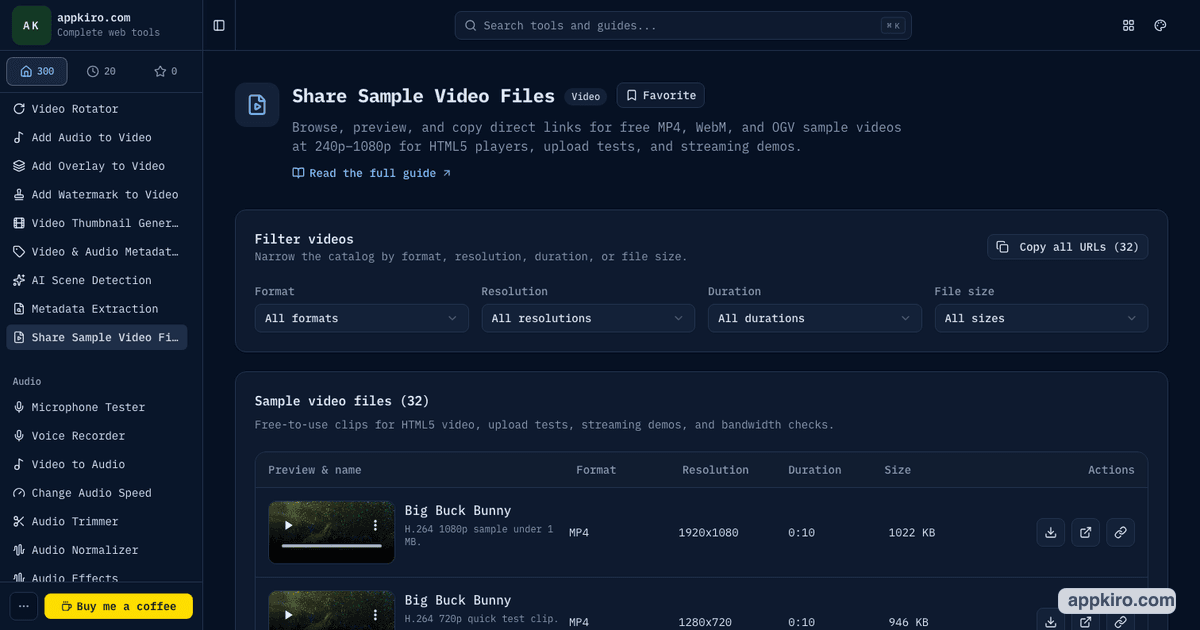
Share Sample Video Files
Use this catalog for HTML5 video players, upload tests, streaming demos, thumbnail generation, transcoding checks, and responsive playback tests. It includes MP4, WebM, and OGV samples across common resolution and size buckets.
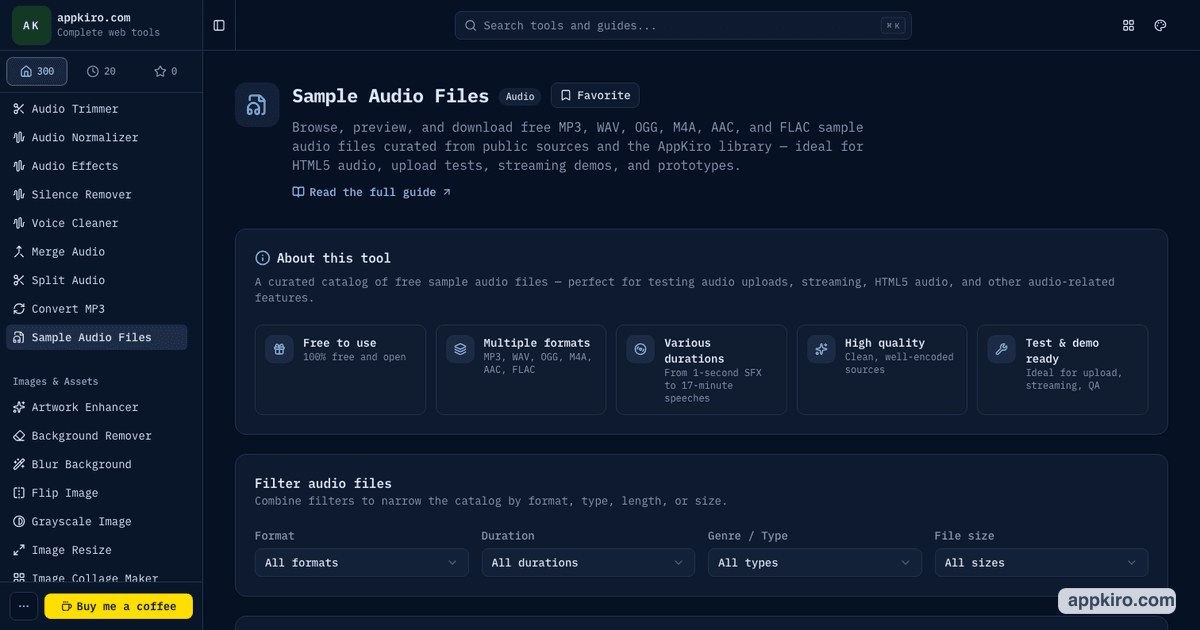
Sample Audio Files
Use this catalog for HTML5 audio players, decoder tests, waveform generation, transcription demos, silence trimming, audio normalization, and upload QA. It includes music, speech, tones, silence, effects, and other audio types.
How to use sample media files
Choose the media type
Use Share Sample Video Files when you need MP4, WebM, or OGV clips. Use Sample Audio Files when you need MP3, WAV, OGG, M4A, AAC, or FLAC samples.
Filter by the constraint you are testing
Filter videos by format, resolution, duration, and size. Filter audio by format, duration, genre or type, and size.
Preview before using the file
Play the video or audio directly in the table so you can confirm that the sample matches the scenario before copying the URL or downloading it.
Copy the direct URL
Use the copy action when a sample needs to go into an HTML tag, JSON payload, API request, bug report, or test fixture.
Download when local files are safer
Use the download action when your upload form, QA device, or local editor needs an actual file instead of a remote URL.
Mirror important test assets
Public sample links are useful for testing and documentation. For production traffic, CI pipelines, or long-lived demos, mirror critical assets to storage you control.
Practical examples
Upload form QA
Pick one small video, one larger video, one MP3, and one WAV. Upload each file through the same form and check progress UI, size validation, MIME detection, and error handling.
HTML5 player demo
Copy a direct MP4 URL and a direct MP3 URL into a demo page. Use the browser preview first so the sample content and duration match the example.
Transcoding pipeline smoke test
Use MP4, WebM, WAV, and FLAC samples to confirm that your pipeline can read different containers, preserve metadata where expected, and produce the target output format.
Documentation and support tickets
Use sample media links in docs, bug reports, and reproduction steps so teammates can test the same media without sharing customer or private files.
Hosting and licensing notes
Some samples are hosted by Appkiro and some are linked from public third-party sources. The catalogs are designed for testing, demos, and development workflows. For production traffic or CI workflows, keep a copy in your own storage so your tests do not depend on an external host.
Tips for choosing a good sample
- Choose the smallest file that still proves the behavior you are testing.
- Use larger samples only when size, bandwidth, timeout, or progress behavior matters.
- Copy direct URLs for code examples and automated tests, but download files for upload UI testing.
- Use MP4 and MP3 as broad compatibility defaults, then add WebM, OGV, WAV, OGG, M4A, AAC, or FLAC for edge coverage.
- Do not depend on third-party media hosts for production traffic; mirror critical files to your own storage.
Related media tools
After downloading or copying a sample, use Video Converter or Convert MP3 to test format changes. Use Metadata Extraction when you need to inspect codec, duration, tracks, or tags.
Video Converter
Convert a sample video into another format for compatibility tests.
Video Compressor
Reduce a sample video and compare size or quality changes.
Convert MP3
Convert MP3 sample audio to WAV, FLAC, OGG, Opus, AAC, or M4A.
Metadata Extraction
Inspect codec, duration, tracks, tags, and format details from sample media.
Frequently asked questions
- What are sample video and audio files used for?
- They are useful for testing players, upload forms, transcoders, preview UI, metadata readers, streaming demos, and documentation without using private media.
- Which formats are available?
- The video catalog focuses on MP4, WebM, and OGV. The audio catalog includes common formats such as MP3, WAV, OGG, M4A, AAC, and FLAC.
- Should I copy the URL or download the file?
- Copy the URL when you need a direct media source for code, API payloads, or docs. Download the file when you need to test an upload input or local workflow.
- Can I use these samples in production?
- Use them for demos, QA, and testing. For production traffic, mirror the files to your own storage and follow the license or source terms for each sample.
- Why do some samples come from third-party hosts?
- Some public samples are hosted by stable external sources. The tool makes them easier to browse and copy, but long-lived workflows should keep their own mirrored copy.
- How do I choose the right sample?
- Start with the behavior you need to test. Use format filters for codec support, size filters for upload limits, duration filters for playback timing, and type filters when audio content matters.
Need a test file now?
Open the video or audio catalog, preview a sample, then copy the direct URL or download the file for your test.