

Storybook PDF Exporter
Chrome extensionTake your Gemini stories with you.
Preview your story as a flipbook, save it as a print-ready PDF, or publish the chapters and illustrations to your own website.
Under review on the Chrome Web Store
How it works
Open a Storybook
Open your story in Google Gemini and select Export Storybook. Turn on narration collection first if you want the available audio.
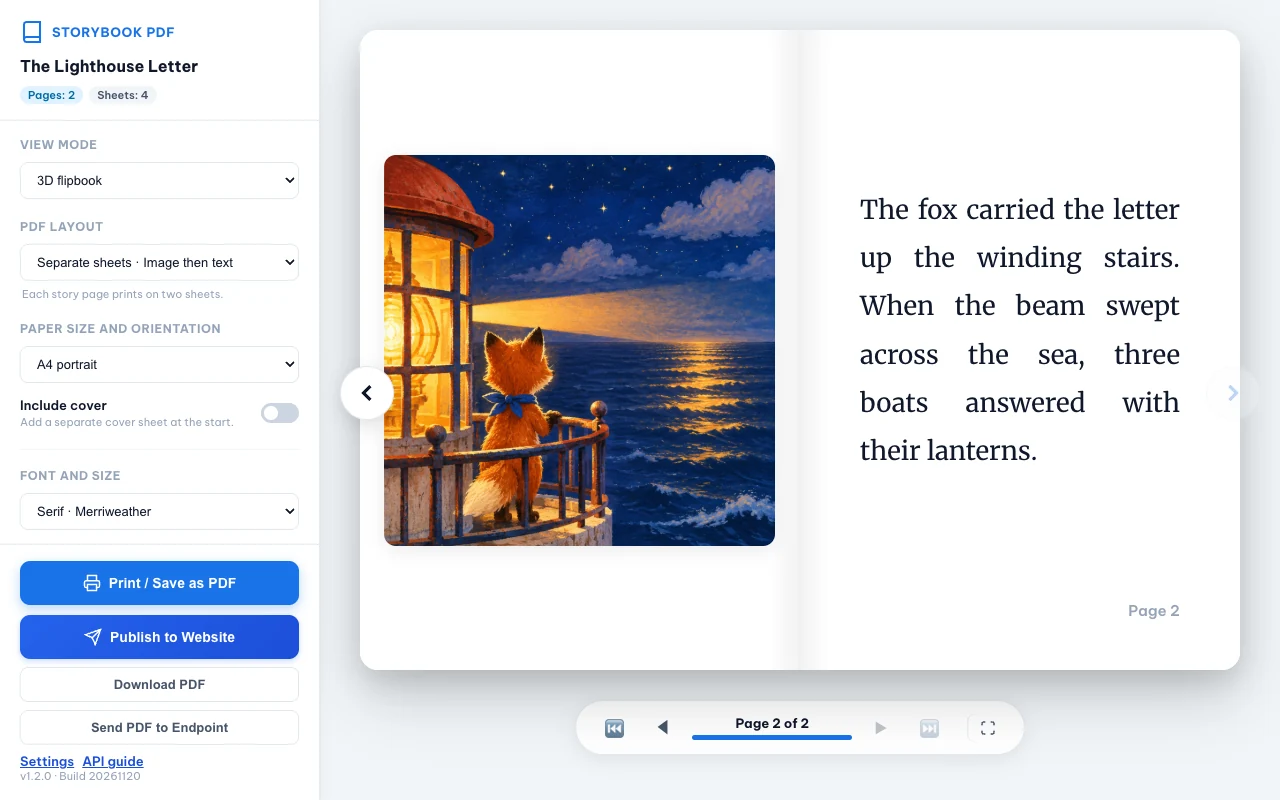
Review the pages
Flip through the story or switch to print preview. Set the paper size, layout, cover, and image format.
Download or publish
Save a PDF, illustrations, or a ZIP on your device. To publish, choose an API endpoint that you’ve configured.
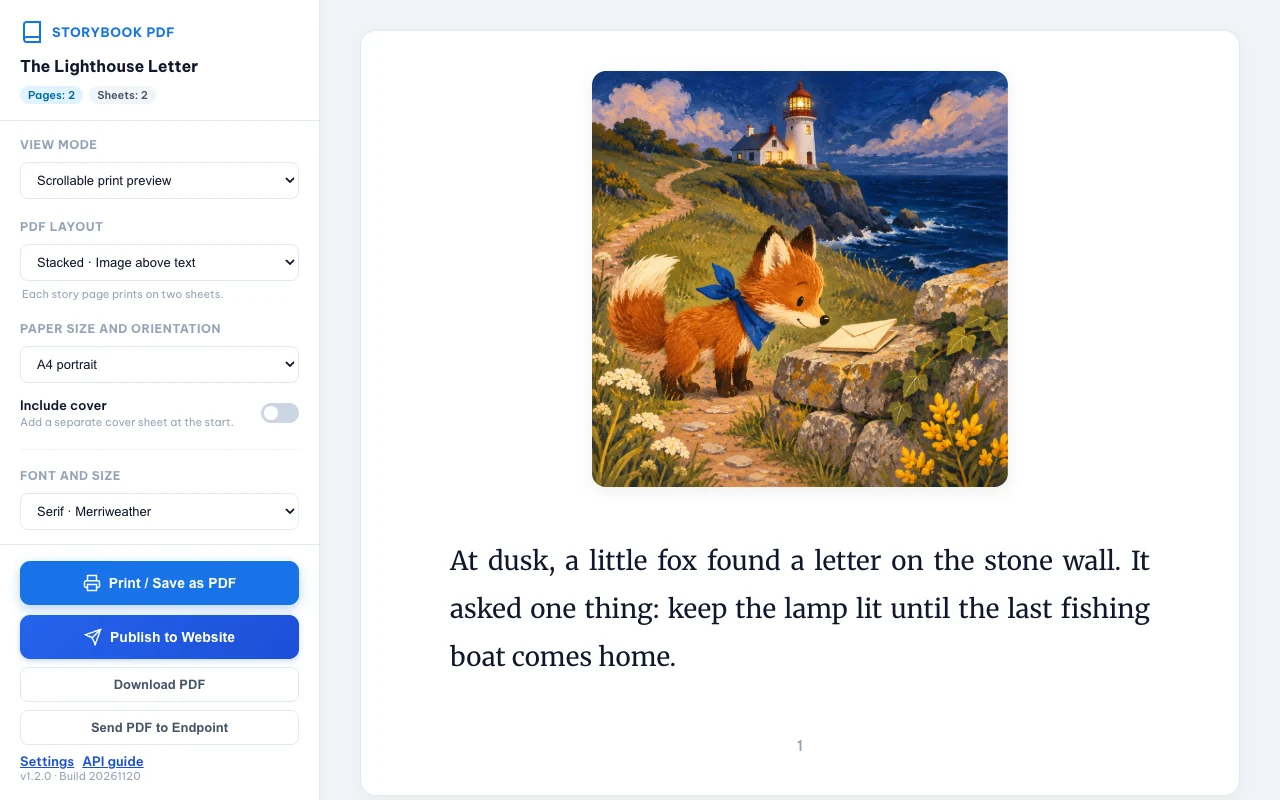
Make a book you can print
Set the paper size, typography, and cover in the live preview, then download the PDF. Export illustrations separately as original PNGs or choose adjustable-quality WebP for smaller files.
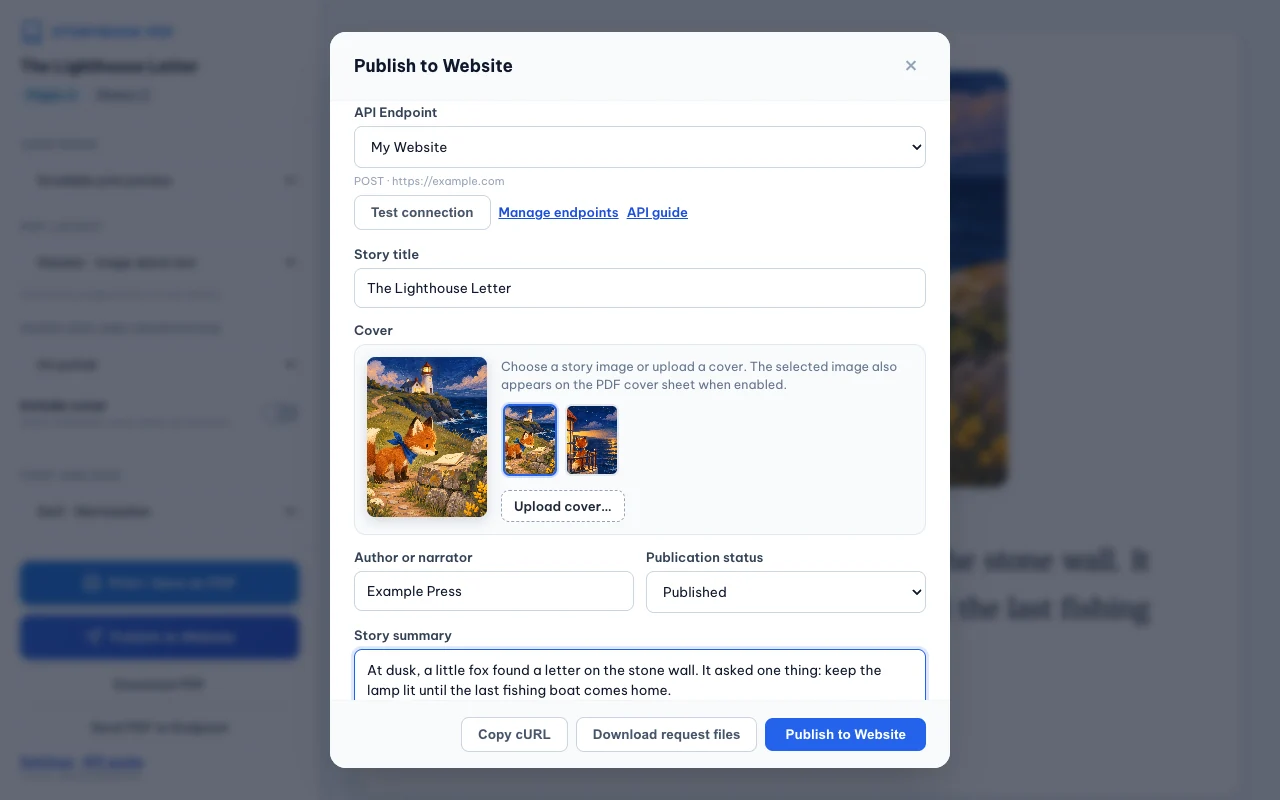
Publish to your own server
Save multiple endpoints, test the connection, and use custom headers, API keys, or Bearer tokens. Download request files with the PDF, illustrations, and chapters.json, including the summary you enter. Copy a cURL command with masked credentials to test your integration.
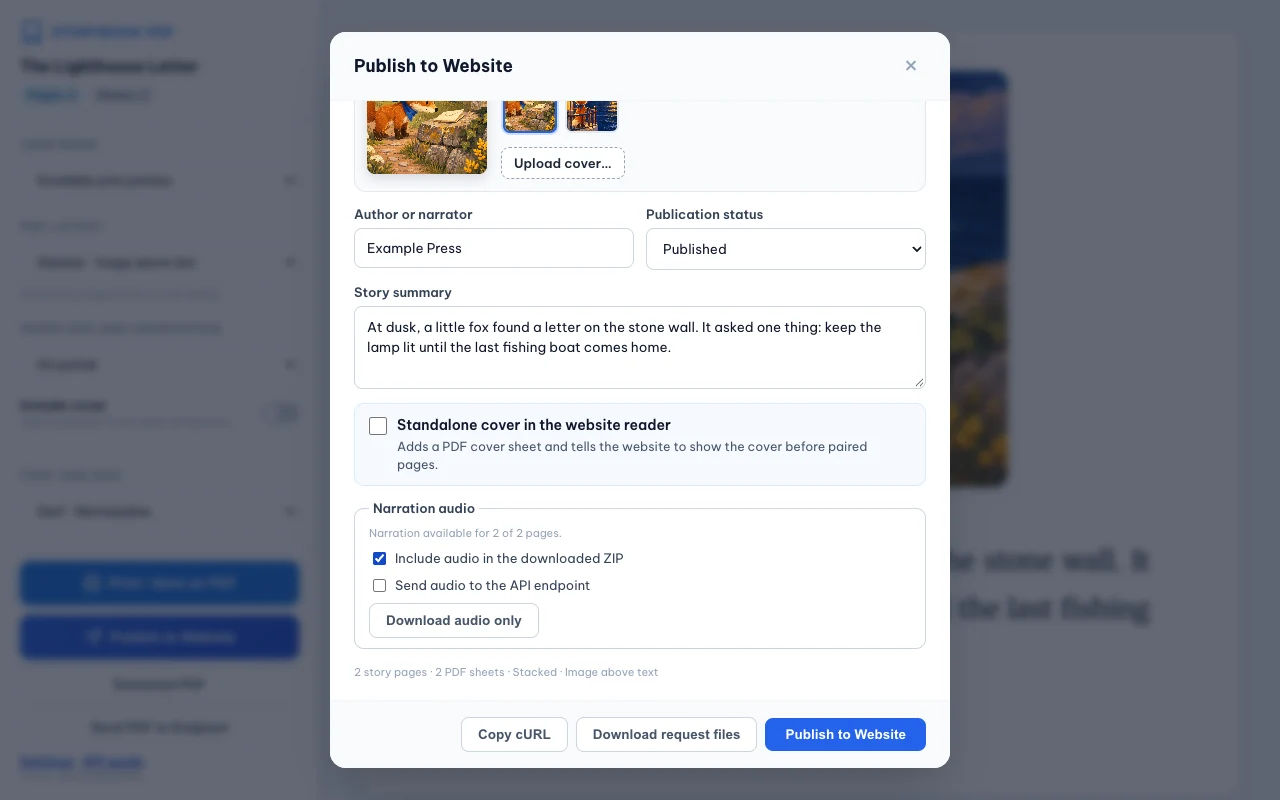
Keep the narration
Save the available Gemini narration separately, or choose independently whether to include it in a ZIP or a publishing request.
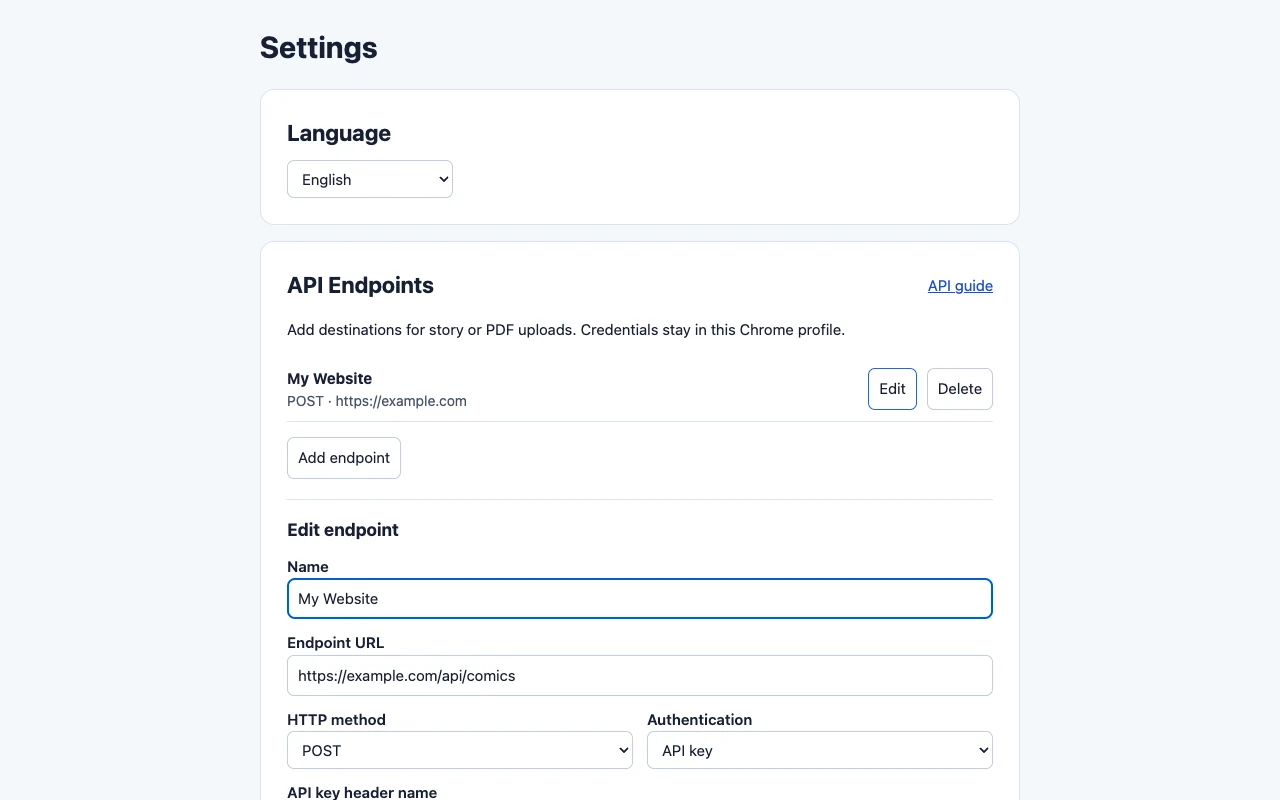
Set your language and endpoints
The extension and in-app API guide support English, Vietnamese, Spanish, French, German, Brazilian Portuguese, and Japanese.
Your story stays in your hands
Story captures and API credentials are encrypted in your Chrome profile. The extension sends your export only when you choose an endpoint and publish. It contains no ads or analytics.
Extension privacy policyFrequently asked questions
Do I need to set up an API to download my story?
Local downloads work without an endpoint. Configure an endpoint only if you want to send a PDF or publish a story to your server.
What’s in the request ZIP?
A full story ZIP contains the PDF, illustrations, and chapters.json with your form summary and ordered chapters and pages. Narration is included when you select it and clips are available.
Can I export every story with audio?
Audio is optional and depends on the narration available in the Gemini Storybook player. Enable collection before you open the export preview.